

AI Automation Use Cases That Save 20+ Hours Per Week
Five AI automation use cases with specific time savings data, implementation stacks, and honest assessments of accuracy and maintenance requirements — covering document processing, support triage, meeting-to-action pipelines, contract review prep, and report generation.
5 AI Automation Use Cases That Save 20+ Hours Per Week
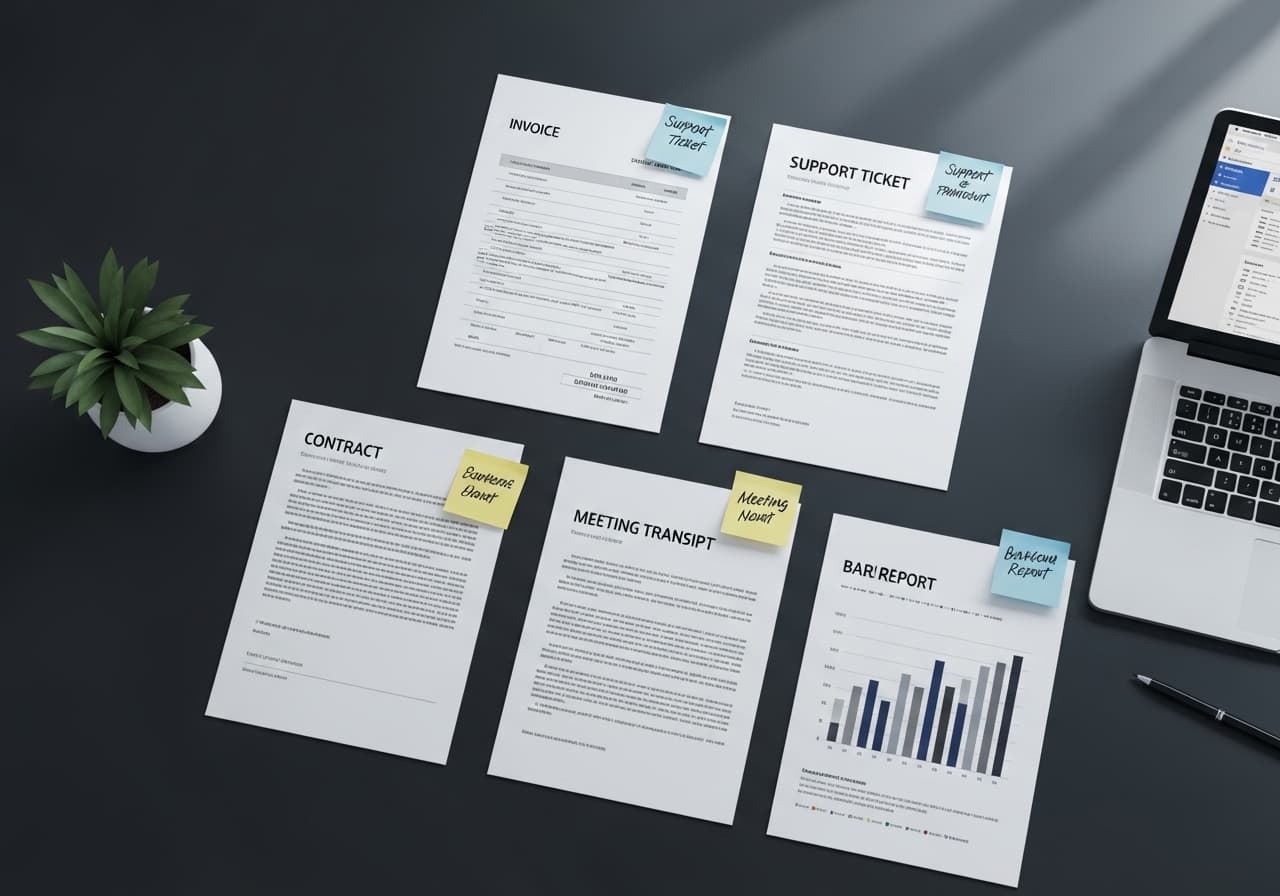
The highest-ROI AI automation use cases in 2026 share a common profile: they involve a human reading variable-format input, applying consistent judgment, and producing a structured output — repeatedly, at high volume. Document processing, classification, summarization, and data extraction from unstructured sources are where LLMs like GPT-4o and Claude 3.5 Sonnet deliver measurable, quantifiable time savings rather than incremental productivity improvements.
This guide covers five specific use cases with real numbers — not marketing projections — and honest assessments of implementation complexity and accuracy requirements.
Use Case 1: Invoice and Document Processing
The manual task: An accounts payable or operations team member receives invoices via email or a shared inbox, opens each one, extracts vendor name, invoice number, line items, amounts, payment terms, and PO number, and enters the data into an ERP or accounting system. At 2–4 minutes per invoice, a team processing 500 invoices per month spends 17–33 hours per month on this task alone.
The automation: An LLM pipeline (GPT-4o or Claude 3.5 Sonnet) receives the PDF or email attachment, extracts the structured fields with a well-engineered prompt, validates the output against expected formats, and writes the record to the destination system via API. Invoices that fail validation are routed to a human review queue.
Real numbers: 96–98% extraction accuracy on standard invoice formats. 2–4% manual review rate. Processing time per invoice: under 15 seconds. For 500 invoices per month, manual review accounts for roughly 1–2 hours. Time saved: 15–30 hours per month.
Stack: n8n for orchestration + GPT-4o API + destination system REST API. Build time: 3–4 weeks including validation layer and exception handling.
Use Case 2: Support Ticket Triage and Routing
The manual task: A support team lead reviews incoming support tickets, classifies them by type (billing, technical, account management, feature request), assesses priority, and routes them to the correct queue or team member. At 30–60 seconds per ticket and 200+ tickets per day, this is 2–4 hours of daily triage work.
The automation: An LLM classifier reads the ticket content, outputs a category and priority classification, and routes the ticket to the correct queue via API. Complex or ambiguous tickets are flagged for human review before routing.
Real numbers: Classification accuracy of 93–96% when categories are well-defined. For 200 tickets per day, 4–14 tickets require human review. Time saved: 1.5–3.5 hours per day of triage work eliminated. Zero routing backlog — tickets are classified and routed within seconds of arrival.
Stack: Webhook trigger from support platform → Claude 3.5 Sonnet API → classification output → support platform API for routing. Build time: 2–3 weeks.
Use Case 3: Meeting Transcript to Action Items and CRM Updates
The manual task: After sales calls, customer success calls, or internal project meetings, a team member listens to the recording or reads the transcript, extracts action items, updates the CRM with call notes, and sends a follow-up summary email. At 15–30 minutes per call and 10–20 calls per week, this is 2.5–10 hours per week of post-call admin per person.
The automation: A meeting transcription tool (Fireflies, Otter.ai, or a Whisper-based custom pipeline) produces the transcript. An LLM pipeline reads the transcript and produces: a structured summary, a bulleted list of action items with owners and deadlines, CRM field updates, and a draft follow-up email. The salesperson reviews and sends — they don't write.
Real numbers: Action item extraction accuracy is 90%+ when speakers are identified and commitments are stated clearly. Time saved: 10–20 minutes per call on post-call admin. For a salesperson with 15 calls per week, that's 2.5–5 hours per week recovered for selling.
Stack: Fireflies or Otter.ai transcript → n8n → GPT-4o API → HubSpot or Salesforce API for CRM updates. Build time: 3–5 weeks including CRM field mapping.
Use Case 4: Contract Review Preparation
The manual task: Before a lawyer reviews a vendor contract, a paralegal or operations team member reads the full document to extract key terms: payment terms, liability caps, indemnification clauses, governing law, renewal and termination provisions. For a 20-page vendor contract, this takes 30–60 minutes per document.
The automation: An LLM pipeline (Claude 3.5 Sonnet performs well on long document processing) reads the full contract PDF, extracts a structured summary of key terms, flags clauses that deviate from the company's standard positions, and produces a one-page brief that the lawyer reviews rather than the full contract.
Real numbers: Key term extraction accuracy: 94–97% for clearly stated terms. Time saved: 20–45 minutes per contract on initial review prep. For 20 contracts per month, that's 7–15 hours of paralegal time recovered monthly.
Stack: Document upload trigger → PDF text extraction → Claude 3.5 Sonnet API with long-context prompt → structured output template → document generation. Build time: 4–6 weeks including the clause deviation detection logic.
Magehire's AI automation consulting work includes contract review pipelines as a recurring use case for legal operations and procurement teams.
Use Case 5: Automated Report Generation
The manual task: A data analyst or operations manager pulls data from multiple sources, assembles it into a weekly or monthly report, writes the narrative sections interpreting the numbers, and distributes it. At 3–6 hours per report cycle and a weekly cadence, that's 150–300 hours per year of report production.
The automation: A scheduled pipeline pulls structured data from the relevant sources, passes the data to an LLM with a prompt that specifies the report format and interpretation guidelines, generates the narrative sections and highlights significant variance from previous periods, and assembles the final report. Distribution is automated via email or Slack.
Real numbers: Narrative quality is high for factual, data-driven interpretation. Time saved: 2–5 hours per report cycle. For a weekly report, that's 100–260 hours per year.
Stack: Scheduled n8n workflow → database/API data pull → GPT-4o API for narrative generation → report template assembly → email/Slack distribution. Build time: 3–4 weeks.
Implementation Priority Framework
Not all five use cases are equally appropriate for every organization. Prioritize by: volume (higher volume = higher ROI), current time cost per instance (longer manual tasks = more savings), and data availability (automations require historical examples to test against).
A practical starting point: identify the single highest-volume manual task in your operations team that involves reading a document and producing a structured output. Build that automation first. Measure the accuracy and time savings. Use that pilot data to justify the next automation.
See Magehire's full AI automation consulting framework for how to run a structured process audit before building.
Ready to Automate Your Highest-Volume Manual Process?
The five use cases above cover the majority of high-ROI AI automation opportunities in operations-heavy businesses. Magehire helps teams identify the best starting point, build the pilot, and measure results before expanding. Schedule a strategy session and we'll identify your best automation candidate in the first call.
?Frequently Asked Questions
Keep Reading
Explore more insights from our team

Etched Hits $5B Valuation and $1B Sales in AI Chip Market
Etched emerges as a formidable rival to Nvidia, achieving a $5 billion valuation and $1 billion in sales, reshaping the AI chip landscape.
How to Automate Business Processes With LLMs in 2026
Step-by-step framework for identifying which business processes are LLM-automatable, designing the pipeline architecture, selecting orchestration tools (LangChain, n8n, custom), and building validation layers that make outputs production-safe.
Scale Your Project
Ready to build high-performance software? Our experts in New York handle the technical heavy lifting so you can focus on growth.
Get a Free Consultation