

Cloud Migration Strategy: AWS vs Azure vs GCP
Covers the structured approach to enterprise cloud migration: the six Rs framework, AWS vs Azure vs GCP comparison by workload type, migration risk management, phasing strategy, and the assessment process that should precede any migration commitment.
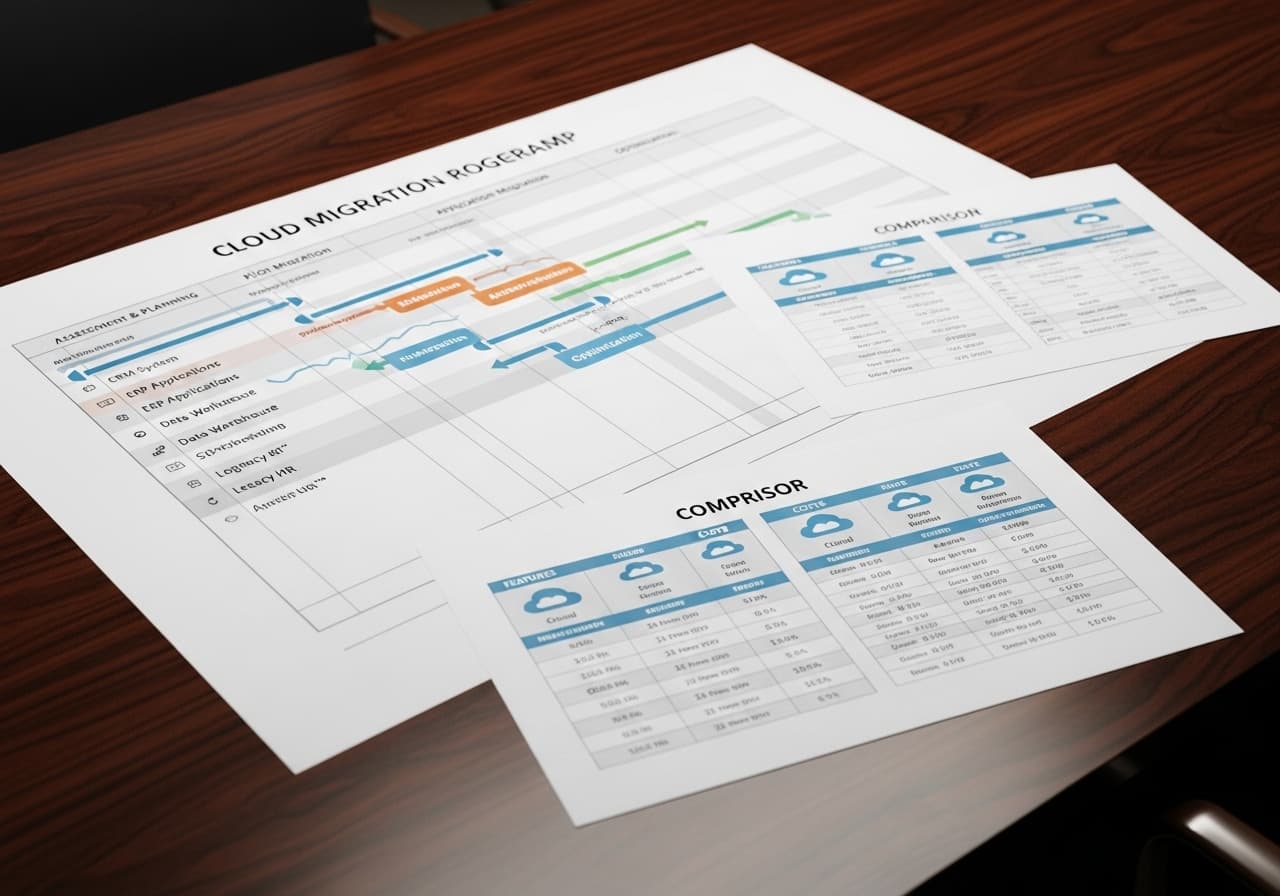
Cloud Migration Strategy: AWS vs Azure vs GCP
Cloud migration is the process of moving an organization's on-premise or legacy-hosted workloads — applications, databases, data, and infrastructure — to a cloud provider's managed environment. The strategic decision is not just which provider to choose, but which migration pattern to apply to each workload and in what order, to minimize risk and deliver value incrementally rather than in a single high-risk cutover.
The provider selection (AWS vs Azure vs GCP) is often the last decision, not the first. The first decisions are: what are we migrating, what does each workload need, and what is the organization's risk tolerance for each migration wave.
The Six Rs: Migration Pattern Framework
Rehost (Lift and Shift): Move the workload to cloud VMs without changing the application. Fastest, lowest risk, lowest cloud-native benefit.
Replatform (Lift, Tinker, and Shift): Move to cloud and swap specific components — database to a managed service, application server to a PaaS runtime — without changing application architecture.
Repurchase: Replace a self-hosted application with a SaaS equivalent. On-premise CRM migrated to Salesforce; on-premise email to Google Workspace.
Refactor / Re-architect: Redesign the application to use cloud-native services — serverless, containers, managed queues, event-driven architecture. Highest effort, highest long-term benefit.
Retire: Decommission workloads that are no longer needed. Cloud migration audits frequently reveal 20–30% of on-premise workloads that can be retired rather than migrated.
Retain: Keep some workloads on-premise temporarily — compliance requirements, latency sensitivity, or ongoing dependency on local infrastructure.
AWS vs Azure vs GCP: Choosing the Right Provider
| Factor | AWS | Azure | GCP |
|---|---|---|---|
| Market share (2026) | ~32% | ~22% | ~12% |
| Strongest workload | General purpose, e-commerce | Microsoft-stack enterprises, hybrid | Data/ML, analytics, Kubernetes |
| Managed Kubernetes | EKS | AKS | GKE (most mature) |
| ML/AI services | SageMaker, Bedrock | Azure OpenAI, ML Studio | Vertex AI, TPUs |
| Hybrid cloud | AWS Outposts | Azure Arc (strongest) | Anthos |
| Best fit | Most new cloud-native projects | Microsoft-heavy enterprises | Data engineering, ML workloads |
Three factors dominate real enterprise provider selection: existing Microsoft licensing (Azure credits bundled with EA agreements), workload type (GCP's BigQuery and Vertex AI are genuinely differentiated for data/ML), and team expertise (the most consistently underweighted factor).
Migration Risk Management
Assessment first, always. Before any migration work begins, a dependency mapping exercise is required: what does each workload connect to, what data does it read and write, what are its latency requirements. This takes 2–4 weeks for a mid-size enterprise portfolio.
Migrate in waves, not all at once. Wave 1 should be the lowest-risk, lowest-dependency workloads — static websites, development environments, low-traffic internal tools.
Maintain rollback capability for every wave. For each workload, define the rollback procedure before migration starts: how long does rollback take, what triggers the decision, who has authority to call it.
Run parallel for critical systems. For business-critical applications, run on-premise and cloud environments in parallel for 2–4 weeks before cutover. Validate outputs match. Only cut over when parity is confirmed.
Magehire's enterprise software consulting team runs migration assessments and wave planning before any cloud provider commitment is made.
Phasing a Cloud Migration
Phase 1 (Months 1–3): Assessment and foundation
Discovery and dependency mapping; cloud provider selection; landing zone configuration (network topology, IAM framework, security baseline, cost management); migration of dev and staging environments.
Phase 2 (Months 4–9): Wave 1 — low-risk workloads
Internal tools, batch processing, non-critical applications. Rehost pattern for speed. Build operational muscle in the new environment on low-stakes workloads.
Phase 3 (Months 10–18): Wave 2 — production applications
Core business applications with tested rollback plans and parallel running periods.
Phase 4 (Months 18+): Optimization and cloud-native evolution
Retire on-premise infrastructure; optimize cloud spend (Reserved Instances, Savings Plans, rightsizing); refactor high-value workloads to cloud-native architecture.
How to Get Started
Commission a workload inventory that captures: application name, technology stack, business criticality, data classification, integration dependencies, and estimated migration complexity. This drives the wave plan and provider selection.
Magehire's enterprise software consulting team delivers migration assessments — typically a 4–6 week engagement — that produce a wave plan, provider recommendation, and risk register before any migration work begins.
Ready to Plan a Cloud Migration That Doesn't Fail?
The most expensive cloud migrations are the ones that start without a wave plan and a rollback strategy. Magehire's assessment-first approach ensures every workload has a defined migration pattern and a tested rollback path before the first VM moves. Schedule a strategy session to start with the plan.
?Frequently Asked Questions
Keep Reading
Explore more insights from our team

Etched Hits $5B Valuation and $1B Sales in AI Chip Market
Etched emerges as a formidable rival to Nvidia, achieving a $5 billion valuation and $1 billion in sales, reshaping the AI chip landscape.
How to Automate Business Processes With LLMs in 2026
Step-by-step framework for identifying which business processes are LLM-automatable, designing the pipeline architecture, selecting orchestration tools (LangChain, n8n, custom), and building validation layers that make outputs production-safe.
Scale Your Project
Ready to build high-performance software? Our experts in New York handle the technical heavy lifting so you can focus on growth.
Get a Free Consultation